

Imagine waking up to find your entire digital portfolio gone. No one to call, no one to reverse the transaction, and no way to get your money back. This isn't a horror story; it's the reality for thousands of people every year. In 2024, cryptocurrency thefts hit $1.2 billion, and a staggering 78% of those losses happened because of compromised wallet security. If you're holding crypto, you aren't just an investor-you're your own bank. That means the burden of security falls entirely on you.
Whether you have $100 or 100,000 in assets, the goal is the same: keep your private keys away from anyone who isn't you. In this guide, we'll move from the basic safety nets every beginner needs to the advanced "fort Knox" setups used by pros. By the end, you'll know exactly how to slash your risk of theft by up to 99.8%.
The Golden Rule: Understanding Your Private Keys
Before we talk tools, you need to understand what you're actually protecting. A Cryptocurrency Wallet is not a place that stores your coins, but a tool that manages your private keys. Your coins live on the blockchain; the keys are what let you move them. If a hacker gets your private key or your seed phrase, they effectively own your money.
Most wallets provide a 12-to-24 word recovery phrase, known as a Seed Phrase. This is the master key to your entire account. If you lose it, you lose your funds. If someone else sees it, they take your funds. It sounds simple, but this is where most people fail. Storing a seed phrase in a Google Doc, an email, or even a photo on your phone is a recipe for disaster. In one documented case from 2025, a user lost $87,000 after their Google account was compromised via SIM-swapping because they stored their keys in the cloud.
Hot vs. Cold Storage: Choosing Your Defense
Not all wallets are created equal. The first big decision you need to make is where your assets live. We generally split these into "Hot" and "Cold" storage.
Hot Wallets are software-based and connected to the internet. Think of these like the physical wallet in your pocket. They're convenient for quick trades and daily use, but because they're online, they're vulnerable to malware. If your computer gets hit by an "infostealer" virus, your keys can be sucked out in seconds.
On the other hand, Cold Storage (or Cold Wallets) keeps your keys completely offline. The gold standard here is the Hardware Wallet, a physical device like a Ledger Nano X that signs transactions internally. Your private keys never leave the device, meaning even if your computer is riddled with viruses, the hacker can't touch your keys.
| Feature | Hot Wallet (Software) | Cold Wallet (Hardware) |
|---|---|---|
| Internet Connection | Always Online | Offline (Air-gapped) |
| Risk of Malware | High | Very Low |
| Convenience | Instant Access | Slower (Manual Signing) |
| Typical Use Case | Daily Trading/Spending | Long-term Savings (HODLing) |
| Estimated Security Risk | 1 in 20 (Poorly secured) | Less than 1 in 10,000 |
The 5-10-85 Strategy for Asset Allocation
You don't need to put everything in a hardware wallet if you trade daily, but you shouldn't keep everything in a software wallet either. A professional approach is the 5-10-85 rule:
- 5% in Hot Wallets: Use these for small, daily transactions or interacting with new dApps. If this wallet is drained, it hurts, but it doesn't ruin you.
- 10% in Multi-Sig Wallets: These are for medium-term holdings. They require more than one key to authorize a transaction, meaning a single compromised device can't steal the funds.
- 85% in Cold Storage: Your "life savings" stay here. This is the bulk of your wealth, protected by a hardware device stored in a secure, physical location.
This layered approach creates a "defense-in-depth" architecture. Even if one layer fails, the vast majority of your wealth remains untouched.
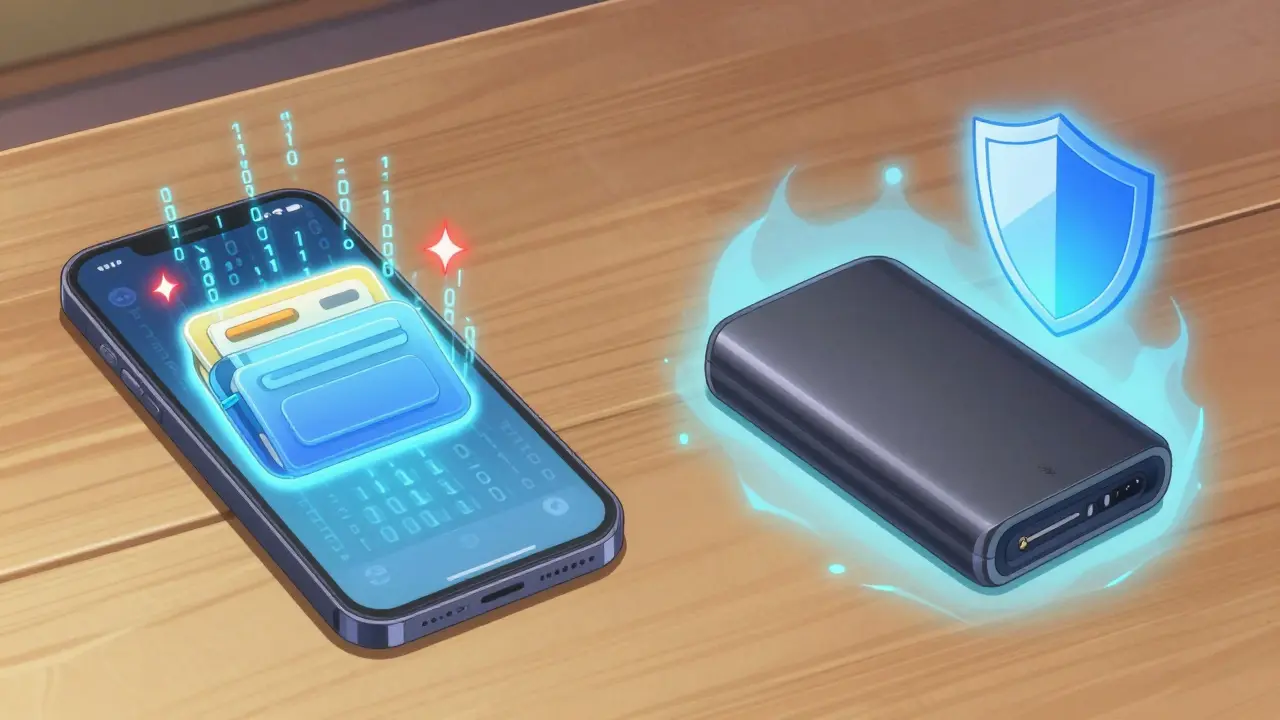
Hardening Your Seed Phrase Backup
If your hardware wallet breaks or you lose it, your seed phrase is the only way back in. But if you write that phrase on a piece of paper, a house fire or a flood could wipe out your portfolio. To truly secure your recovery, you need to think about durability and redundancy.
Instead of paper, consider a steel backup tool. These are stainless steel plates where you engrave or stamp your seed words. They are waterproof and fire-resistant, ensuring that your keys survive even the worst disasters. Additionally, avoid a "single point of failure." Don't keep all your backups in one safe. Store them in two separate, secure locations-perhaps one at home and one in a trusted bank vault or with a legal professional.
Advanced Tactics: Multi-Sig and MPC
For those managing significant amounts of capital, a single hardware wallet might still feel like a risk. This is where Multi-Signature (Multi-Sig) wallets come in. Think of this as a joint bank account that requires two or three different people (or devices) to sign off before money can move. For example, a "2-of-3" setup means you have three keys, and any two are needed to authorize a transaction. If you lose one key, you can still recover your funds using the other two.
Another emerging tech is Multi-Party Computation (MPC). Unlike Multi-Sig, which is written into the blockchain and can increase gas fees by 15-25%, MPC splits the key itself into mathematical "shares." No single party ever holds the full key, which drastically reduces the risk of a single point of failure. The MPC market has exploded recently, growing by 128% between 2023 and 2025, as institutions demand higher security standards.

Common Pitfalls and How to Avoid Them
Even tech-savvy users make simple mistakes that lead to total loss. Here are the most common traps and how to dodge them:
- The Third-Party Trap: Never buy a hardware wallet from Amazon or eBay. In Q1 2025, roughly 12% of counterfeit Ledger devices sold on marketplaces contained pre-installed malware designed to steal your seed phrase during setup. Only buy directly from the official manufacturer.
- The "Approval" Leak: Every time you use a decentralized app, you often give it "approval" to spend your tokens. Many people leave these open forever. Use tools like Revoke.cash to regularly cancel old permissions. The average wallet has 17 outstanding approvals-each one is a potential doorway for a hacker if that project gets compromised.
- The Public Wi-Fi Mistake: Using public Wi-Fi for crypto transactions is like shouting your password in a crowded room. There was a 47% increase in public Wi-Fi-based wallet attacks in 2025. Always use a VPN or a dedicated mobile hotspot.
- SMS 2FA: Standard text message codes are easy to intercept via SIM-swapping. Switch to app-based 2FA (like Google Authenticator) or physical security keys (like YubiKey), which can reduce account takeover risk by 96%.
Is a hardware wallet 100% unhackable?
Nothing is 100% unhackable, but hardware wallets get very close. They protect your keys in a "Secure Element" chip that is physically isolated from the internet. The main vulnerability isn't the device itself, but the human-such as if you are tricked into typing your seed phrase into a fake website or a phishing app.
What should I do if I think my seed phrase was exposed?
If you suspect your seed phrase is compromised, you must act immediately. Create a brand new wallet with a new seed phrase and transfer all your assets to the new addresses. Once a seed phrase is known by someone else, that wallet is permanently unsafe; you cannot "change" the password or reset the seed phrase for an existing wallet.
How do I verify a transaction is safe on my hardware wallet?
Always check the address and the amount on the physical screen of the hardware device, not just on your computer monitor. Sophisticated malware can change the address you see on your screen to a hacker's address, but the hardware wallet will show the actual destination. If the screen doesn't match your intended recipient, do not sign the transaction.
Do I need to worry about quantum computers?
While quantum computing poses a theoretical threat to current elliptic curve cryptography, it isn't an immediate danger for most users today. However, the industry is already developing quantum-resistant cryptography. Keep your wallet software updated, as manufacturers will roll out these protections as they become standardized.
Why is a 12-character password recommended for wallet encryption?
A 12-character random password provides roughly 95+ bits of entropy, making it incredibly difficult for "brute-force" attacks to crack. Since wallet encryption is often the only line of defense for software wallets, a long, complex password is the minimum requirement to prevent unauthorized local access to your key files.
Next Steps for Your Security Upgrade
If you're currently using only a software wallet, your first move should be buying a hardware wallet directly from a manufacturer. Once you have it, spend a few hours setting up a 2-of-3 multisig for your medium-term funds. Finally, do a "security audit" of your digital life: change your email passwords, disable SMS 2FA, and revoke any old token approvals on the blockchain.
Securing your crypto isn't a one-time event; it's a habit. Stay updated on new phishing trends and always double-check every address before hitting "send." Your future self will thank you.





Comments
Eric Raines
April 22, 2026 AT 16:41 PMEveryone thinks they're safe until they're not. I've seen a dozen people lose everything because they thought 'good enough' was actually good enough. It's honestly pathetic how many people just wing it with their financial security and then come crawling back to the community acting shocked when their funds vanish into thin air. Just get a hardware wallet and stop being lazy with your seeds
Robert Mosolygo
April 24, 2026 AT 12:55 PMThe mention of 'infostealer' viruses is only the tip of the iceberg. Most people fail to realize that the hardware wallets themselves, while physically secure, are often marketed by companies with opaque corporate structures that could be infiltrated by intelligence agencies at any moment. The entire ecosystem is designed to give a false sense of security while the actual infrastructure remains vulnerable to systemic failures and state-sponsored backdoors. You are essentially trusting a piece of plastic and a few lines of code to safeguard your entire life's work in a world where zero-day exploits are traded like baseball cards.
Miranda Jamieson
April 25, 2026 AT 05:41 AMIf you're still using a hot wallet for more than a few bucks, you deserve to get drained. It's pure incompetence at this point. Stop complaining about hackers and start acting like an adult who actually values their money
Candace Sherrard
April 26, 2026 AT 05:24 AMIt is fascinating how we have transitioned from trusting massive, centralized banking institutions with our wealth to trusting our own ability to manage a series of twelve random words, which essentially shifts the entire existential burden of security from a corporate entity to the fragile memory and organization of a human being. One has to wonder if this decentralization of risk is truly a liberation or if we have simply exchanged one form of anxiety for a more intimate, personal kind of terror where the only person who can ruin your life is yourself, perhaps through a misplaced piece of steel or a forgotten vault key in a moment of future cognitive decline.
Sara Ellis
April 27, 2026 AT 20:19 PMjust buy the thing and hide the paper lol
Gary Lingrel
April 28, 2026 AT 18:26 PMsteel plates are just a gimmick to make you feel safe while the government just tracks your physical movements 🙄 why bother with all this if the system is rigged anyway lol
Jennifer Taylor
April 29, 2026 AT 05:11 AMDon't trust the official sites either. They all track you. The hardware wallets are just a way to get your identity on a list so they know who the big holders are and can target them later
Gloris Young
April 30, 2026 AT 06:15 AMLove the tip about Revoke.cash! Many people forget that part. Staying safe is a team effort
Hannah Rubia
May 1, 2026 AT 17:36 PMI would highly recommend utilizing a professional-grade safe with a fire rating of at least two hours for those storing their stainless steel backups. It provides an additional layer of physical security that complements the digital safeguards discussed here.
Yvette P
May 3, 2026 AT 04:14 AMOh look, another guide telling us to use a hardware wallet as if the average retail trader actually understands what a seed phrase is. Let's be real: most of these people will just store their recovery phrase in a 'hidden' folder on their desktop named 'Passwords_DO_NOT_OPEN' and then act surprised when their portfolio gets nuked by a basic phishing link because they thought they were too smart for the bait. The irony of advocating for Multi-Sig to people who probably can't even manage a basic 2FA setup without losing the app is truly peak comedy in this space
Guy Bianco
May 4, 2026 AT 03:00 AMA very comprehensive overview. I suggest everyone takes a moment to audit their current permissions. :)
Paige Raulerson
May 6, 2026 AT 00:38 AMThe 5-10-85 rule is cute for beginners, but for anyone with real capital, it's practically quaint. I've always found that these simplified ratios ignore the actual volatility of liquidity needs in high-frequency environments, though I suppose it's fine for the masses who only hold a few coins
praveen subbiah
May 6, 2026 AT 01:34 AMThis is amazing knowledge! My brothers in India are already implementing these steps to protect our national wealth! Truly powerful stuff!
jill huyo-a
May 6, 2026 AT 04:29 AMI'm curious if anyone has tried using multiple different brands of hardware wallets for the multisig setup to avoid a single-manufacturer vulnerability
Mary Tawfall
May 7, 2026 AT 04:18 AMThis is so helpful for anyone starting out. It's a bit scary but knowing the steps makes it manageable
Tara Aman
May 7, 2026 AT 21:33 PMLet's all get our security updated this weekend! It's the best way to ensure we can keep growing our portfolios together!
debashish sahu
May 8, 2026 AT 10:16 AMThe advice on avoiding public Wi-Fi is very relevant for those of us traveling frequently between cities
Jagdish Sutar
May 9, 2026 AT 21:09 PMWonderful guide. It's great to see the community helping newcomers avoid the mistakes that many of us made in the early days
Caiaphas Konkol
May 11, 2026 AT 04:54 AMMPC is just another layer of obfuscation. They tell you the key is split, but the implementation is usually handled by a few centralized providers anyway. It's just a different flavor of the same trust problem, dressed up in fancy math to satisfy institutional investors who are terrified of actually holding their own keys